 AI Writer
✨
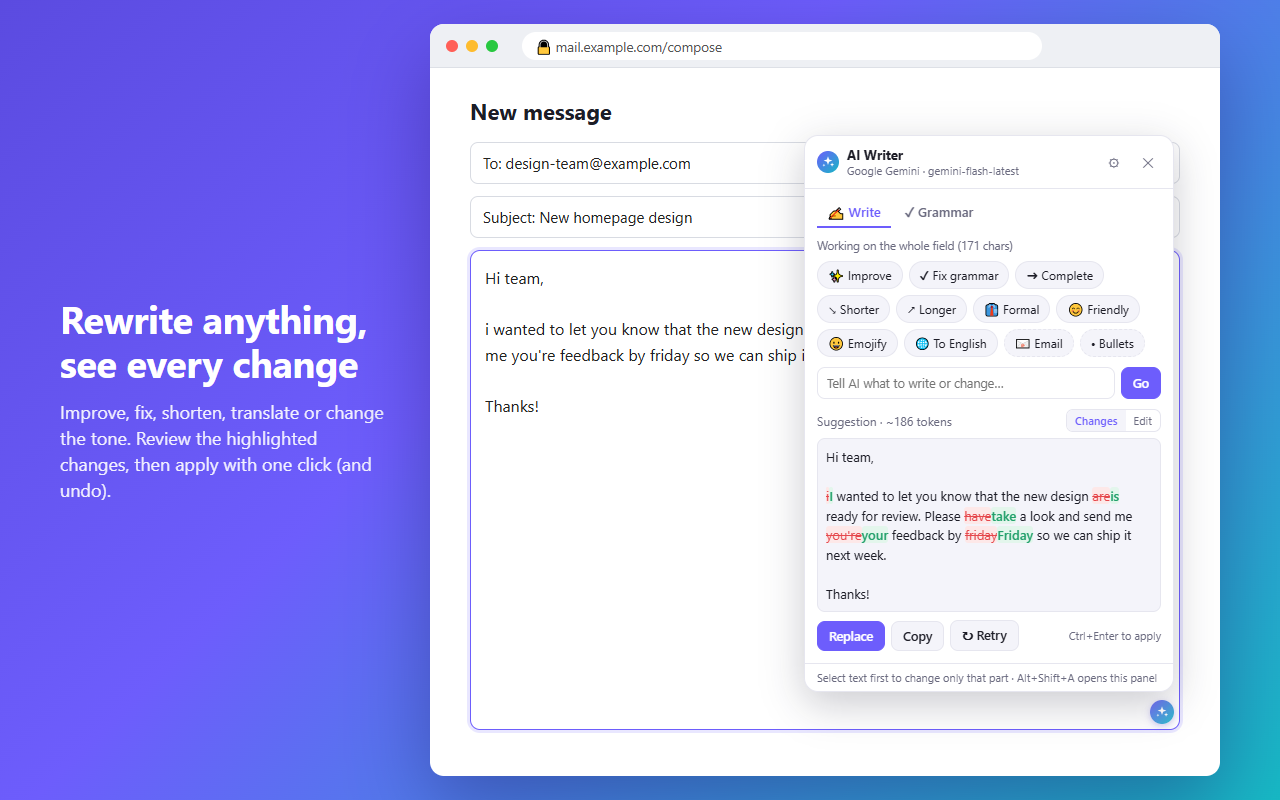
Rewrite anything
Improve, fix, shorten, expand, make formal or friendly, emojify or translate. See every change highlighted before you apply it, and undo with one click.
✔
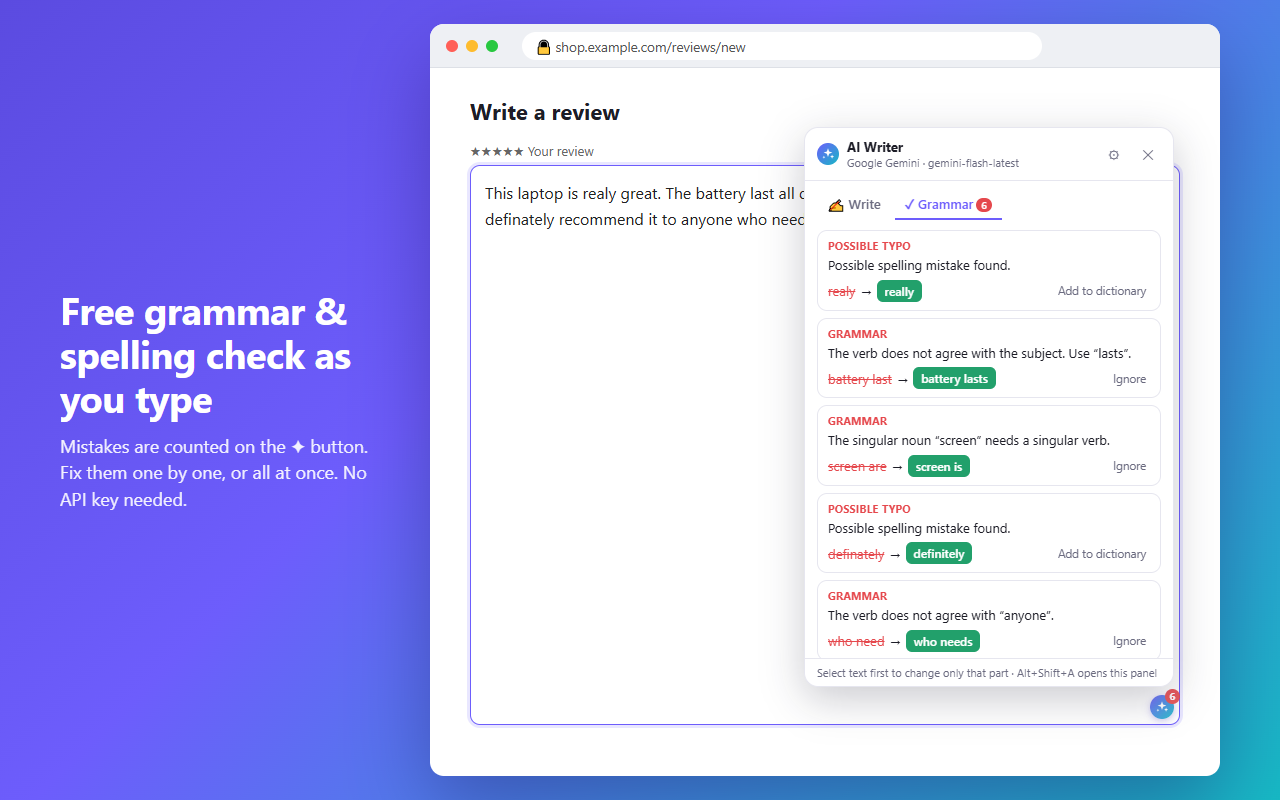
Free grammar check
Spelling and grammar issues are counted on the ✦ button as you type. Fix them one by one or all at once. No key needed.
💬
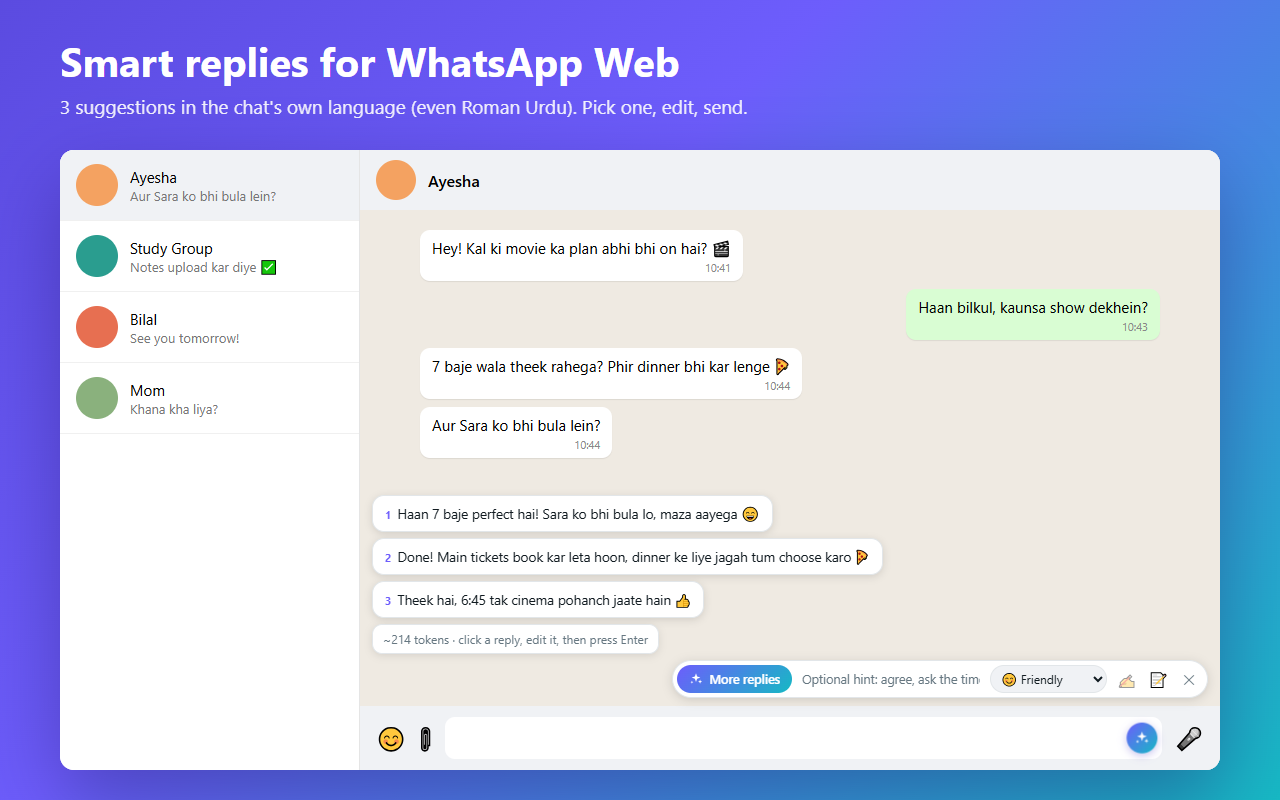
Smart WhatsApp replies
Three reply suggestions in the chat's own language (English, Urdu, Roman Urdu, Hinglish…). Pick one, edit, press Enter. Nothing is sent for you.
🔒
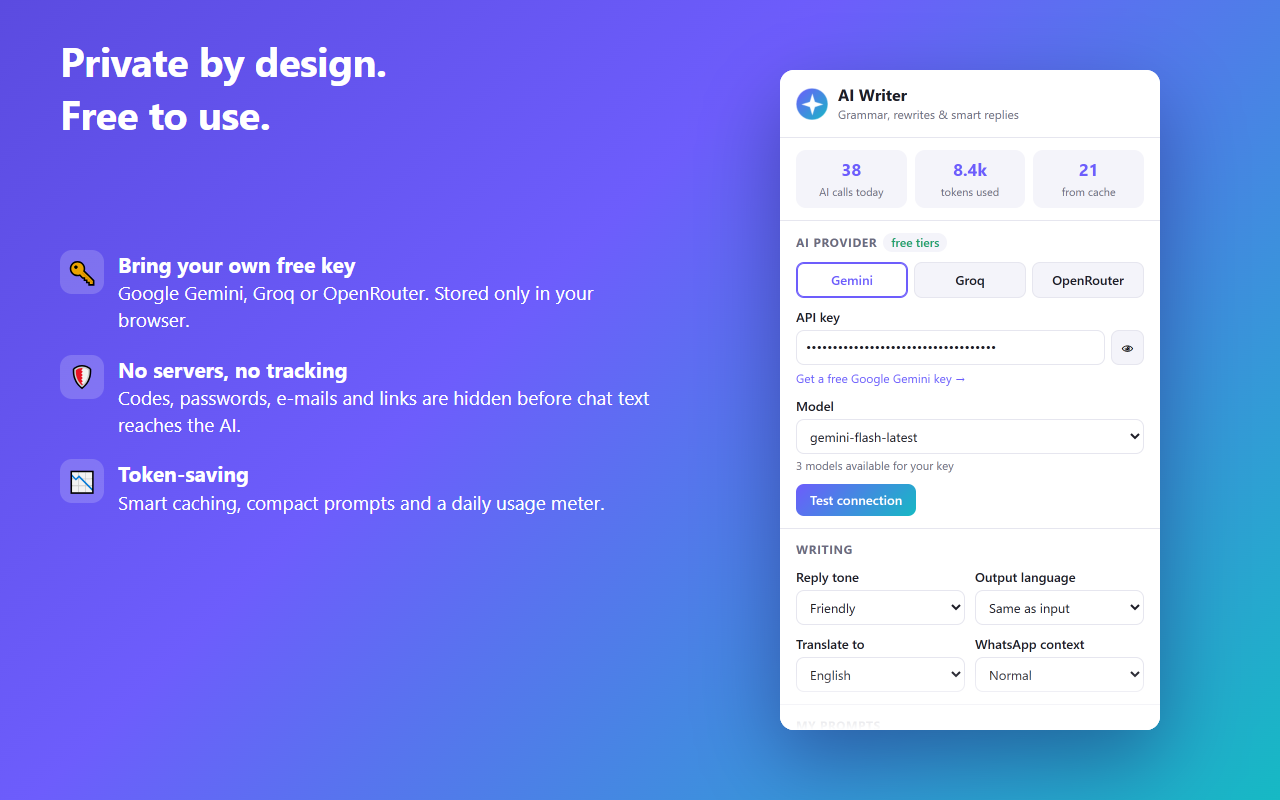
Private by design
No servers, no analytics, no tracking. Your key stays in your browser. Codes, passwords, e-mails and links are hidden before chat text reaches the AI.
See it in action
Get started in a minute
- Install AI Writer from the Chrome Web Store.
- Get a free API key from Google AI Studio, Groq or OpenRouter.
- Paste it in the AI Writer settings (click the toolbar icon) and press Test connection.
- Click ✦ in any text box, or ✨ in a WhatsApp Web chat.